
Reporting an Incorrect Content Rating
If you think a character’s rating (General / R15 / R18) doesn’t match its actual content, you can ask the moderation team to review it. The same flow works for your own characters and other users’ characters.
See also: Content Filter / Content Rules
How to Report
1. Open the Create page
Open the “Create” tab at the bottom, then find the character in the “My Chats” list.
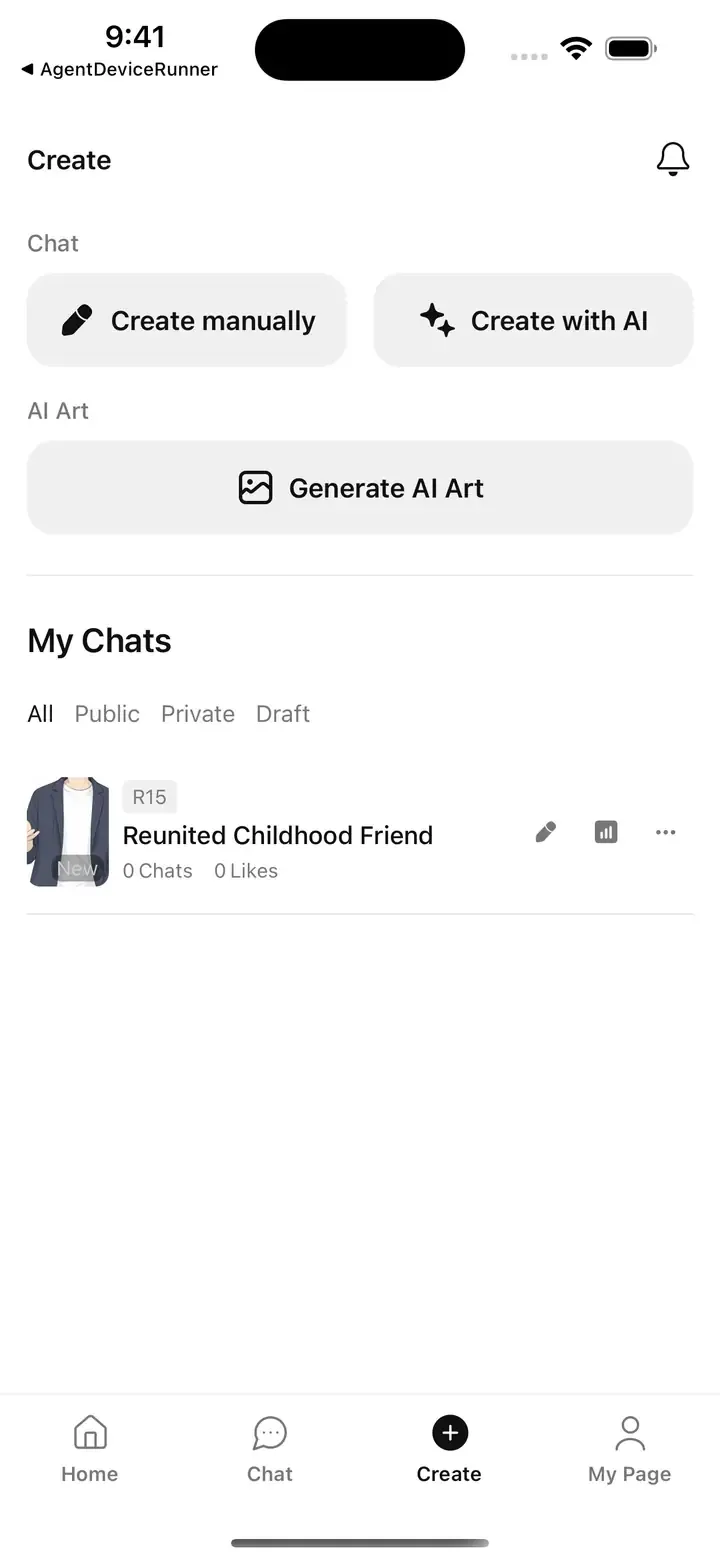
2. Tap the three-dot button
Tap the three-dot button (…) on the right of the character row. A menu will slide up from the bottom.
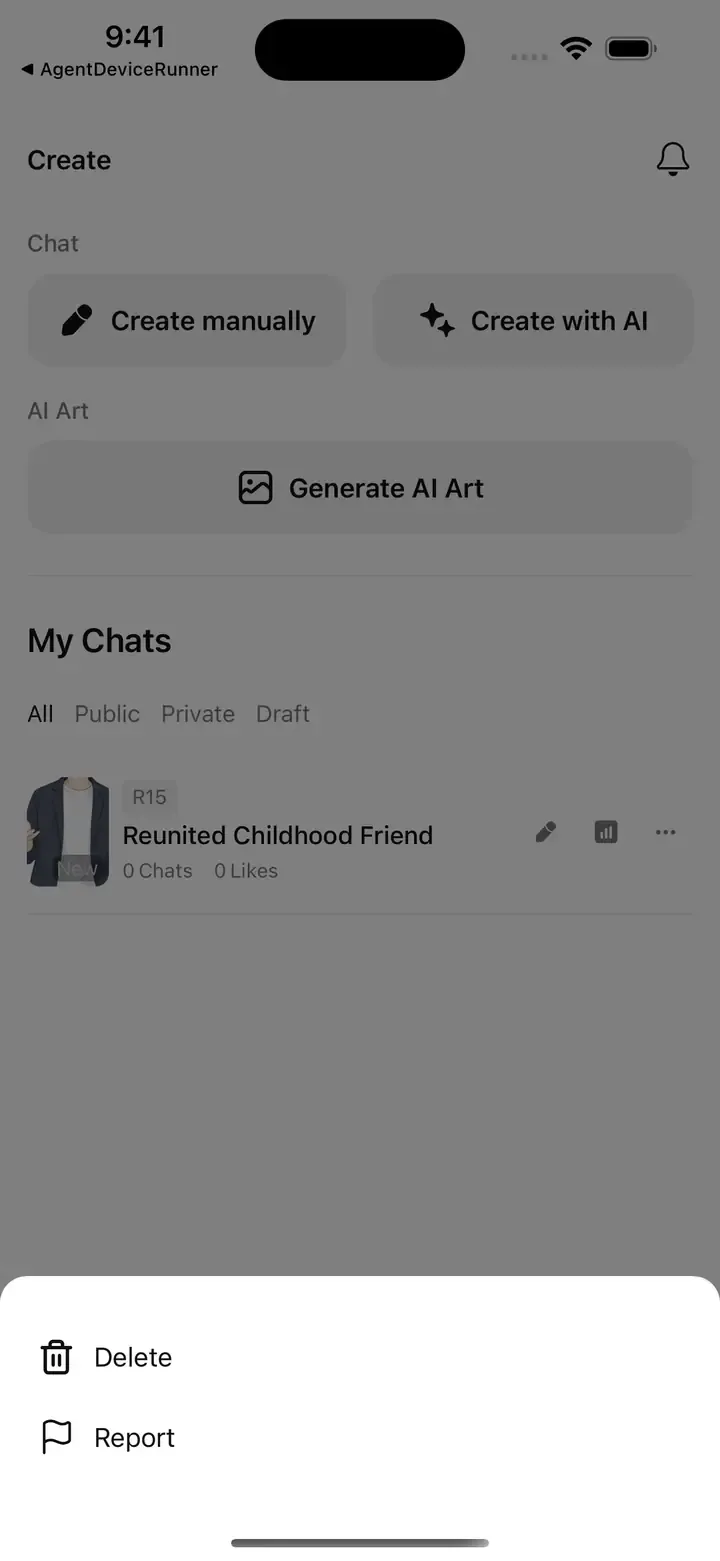
3. Choose “Report”
Choose “Report” from the menu. The report form will slide up from the bottom.
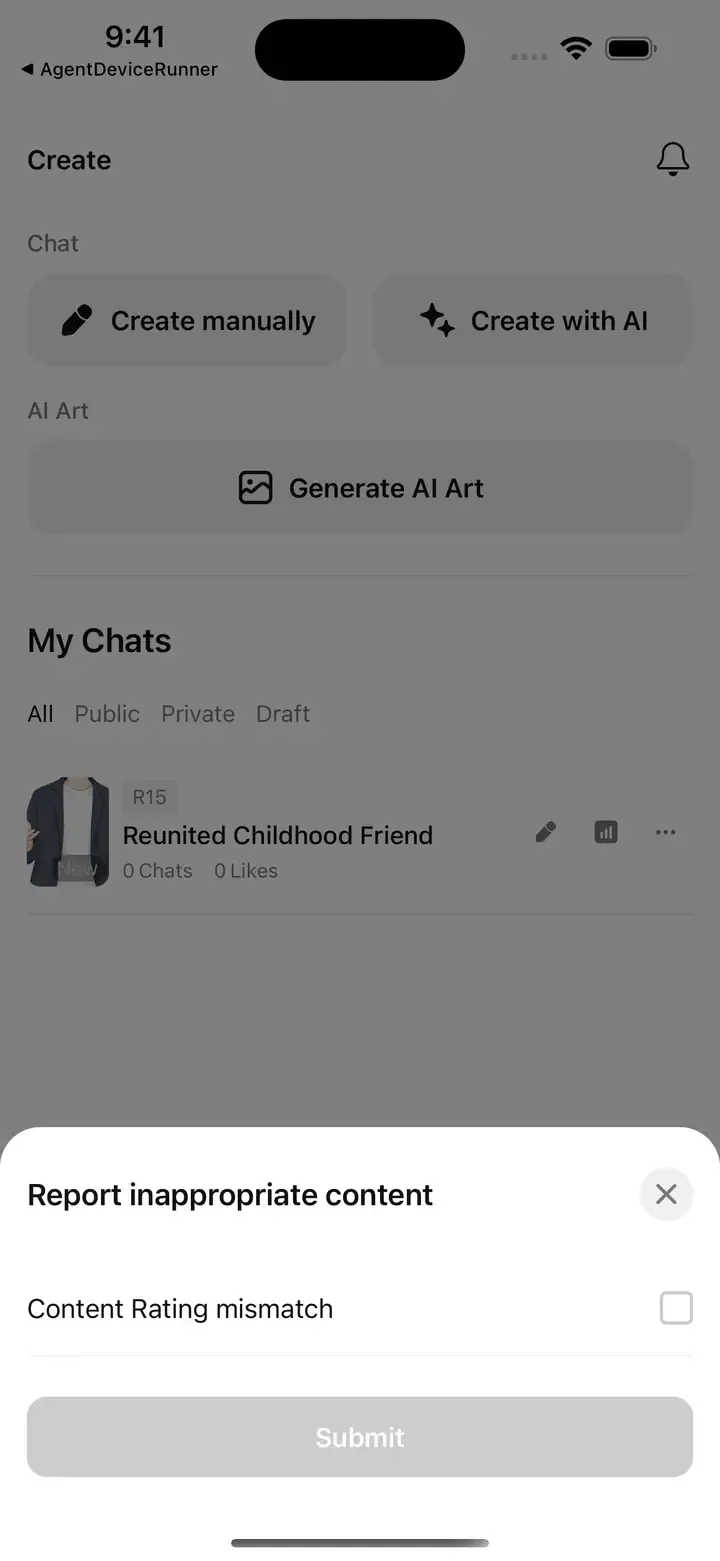
4. Check “Content Rating mismatch” and submit
Select “Content Rating mismatch” and tap “Submit”.
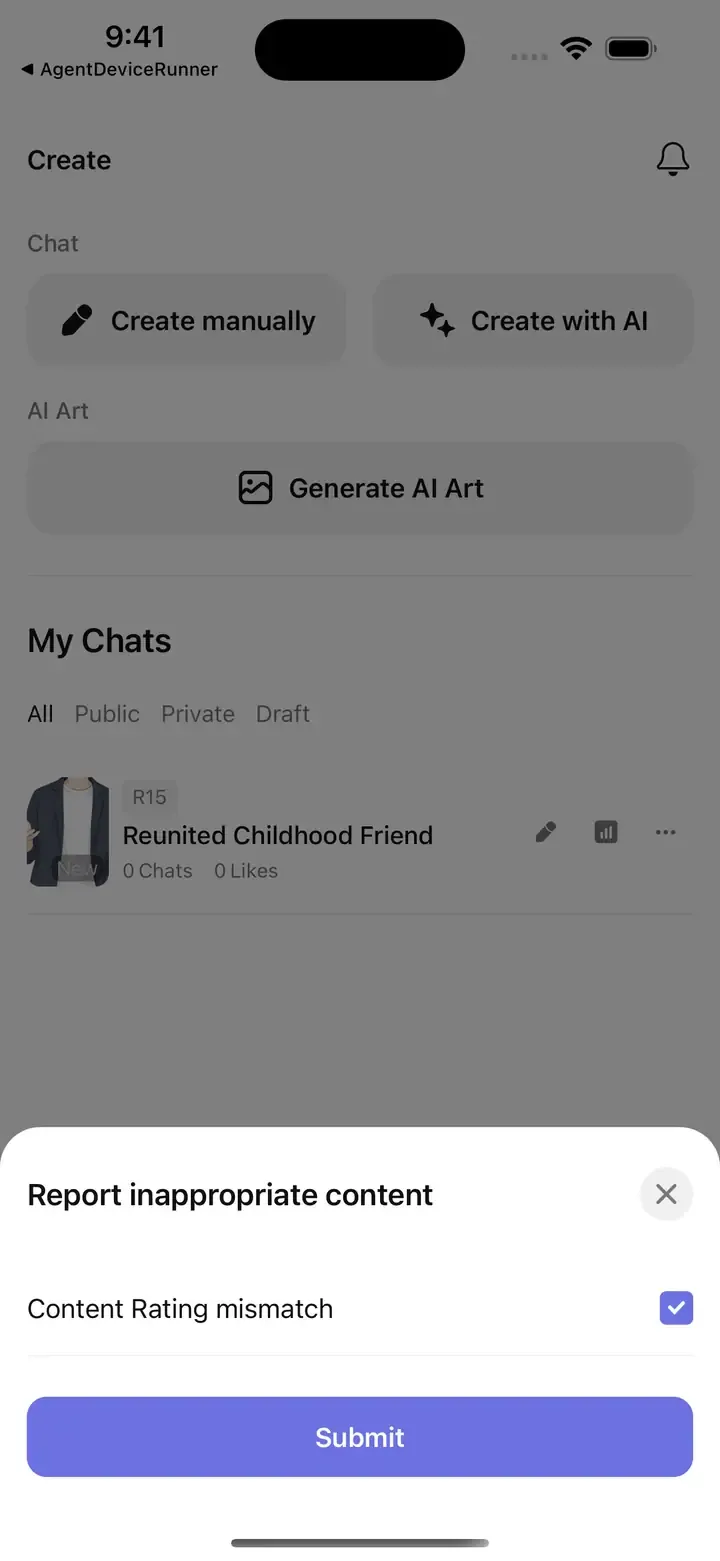
After You Submit
The moderation team will review your report and update the rating as needed. Review may take some time — thank you for your patience and for helping keep Chacha safe.