
How to Get a Plan Receipt
Here is how to obtain a receipt for a paid plan.
- Go to your account page at https://chacha-ai.dev/settings.
- Click “Manage” under “Current plan”.
- On the checkout screen, click the date of the receipt you want under “Invoice history”.
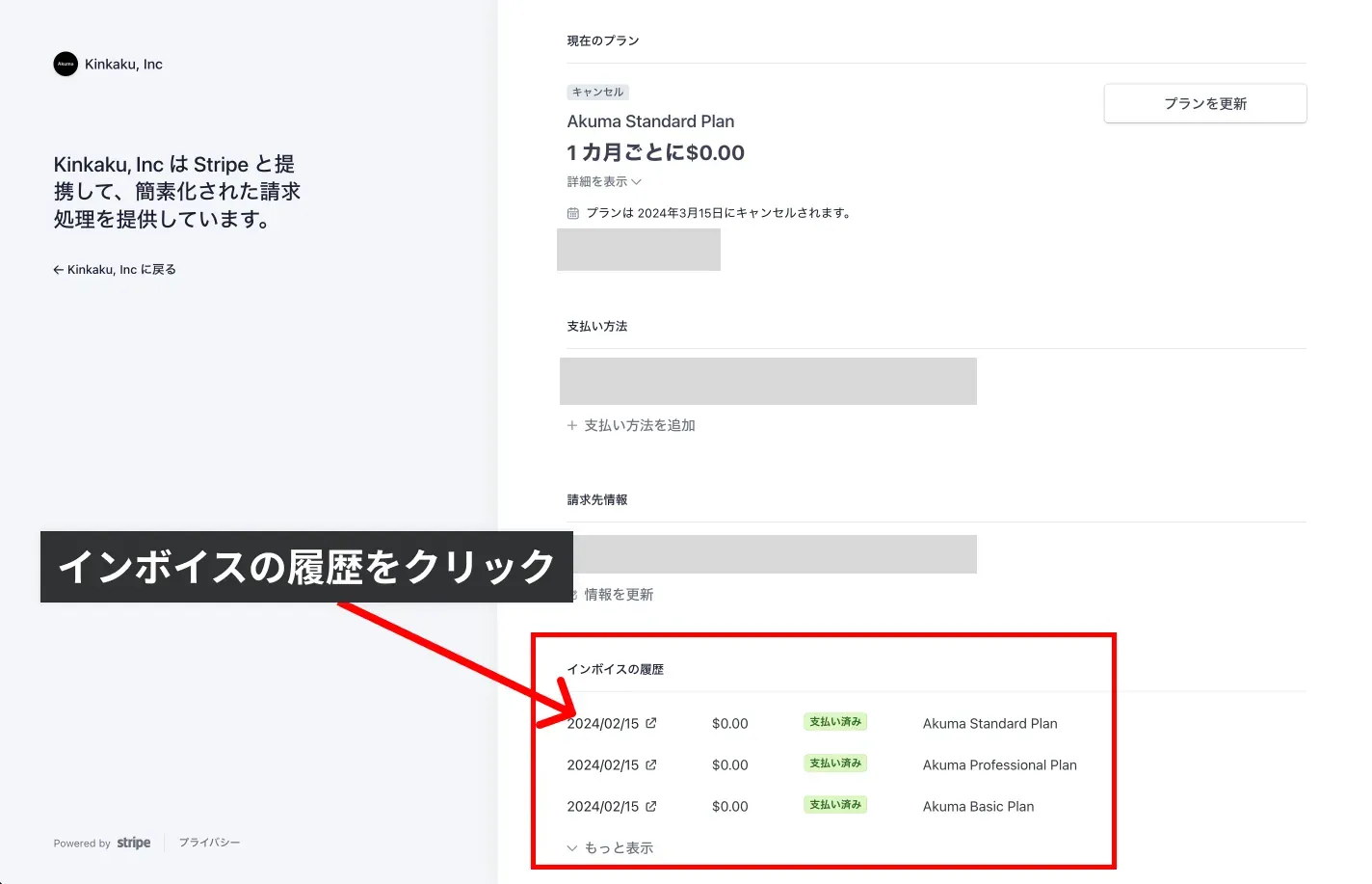
You can now retrieve the receipt.
Receipts for in-app purchases (Chacha Pass) are issued by the store you purchased from. There is no way to issue a receipt from within the app.
iOS
- Open iOS: Settings app → your name → “Media & Purchases” → “View Account” → “Purchase History”
- Select the relevant “Chacha Pass” purchase to view the receipt
- Receipts are also sent automatically to the email address registered with your Apple ID at the time of purchase
Android
- Open the Google Play app → menu → “Payments and subscriptions” → “Budget & history” to view your purchase history
- Select the relevant “Chacha Pass” order to view the receipt
- You can also retrieve purchase history and receipts from the “Activity” section on pay.google.com